How to Create A cPanel Package in WHM

How to Create A cPanel Package in WHM

In this tutorial you will understand how to make a cPanel package in WHM Following are the simple steps: 1. Log in to WHM. 2. Select the “Packages” category from the left-hand side menu and click on the “Add a Package” option. 3. Write down the “Package Name”. 4. Select the value of the “Resource”. […]

Read More »

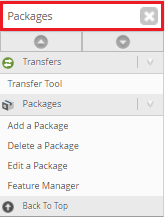
How to Use WHM Feature Manager

How to Use WHM Feature Manager

In this tutorial, you will understand about How to Use the WHM Feature Manager. You can choose the features you want to make available in your accounts’ cPanel with the help of WHM’s Feature Manager. You’ll have a lot of management over the features you provide in your web hosting packages this way. This enables […]

Read More »
How Do You Perform Ping Test in Windows

How Do You Perform Ping Test in Windows

In this article, you’ll understand how do you perform the ping test in windows? On a network the ping command sends data packets to a specific IP address and then returns the time it took to transmit that data and receive a response. For quickly testing various points on your network It’s a useful tool […]

Read More »
How Do You Delete an FTP Account in Plesk

How Do You Delete an FTP Account in Plesk

In this tutorial we are going to understand  how to delete an FTP account. Let us follow the steps: 1. Log in to Plesk. 2. Select Websites & Domains from the left-hand menu. 3. Select the domain for which you wish to delete an account, then click on the FTP Access options. 4. Locate the account you wish to delete on the FTP Accounts tab and […]

Read More »
How to Create New MX Records in cPanel

How to Create New MX Records in cPanel

This tutorial shows you ways to feature new MX Records in cPanel. Following are the Step-by-Step guide to Create an MX record for your domain: 1. Log in to your cPanel account. After entering the correct credentials click Login . 2. Go to Domains Navigate to Domains, on the cPanel dashboard and click Zone Editor […]

Read More »