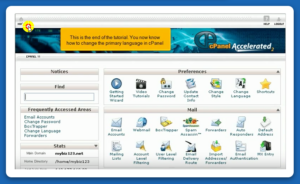
Simple Steps to Change the Primary Language in cPanel

cPanel is a trade leading Linux based based web hosting control panel, widely used to manage resources of an web hosting server. It offers a graphical user interface (GUI) alongside various automation tools integrated along to change the process of managing an web site hosted on a server.
The cPanel is made using a 3-tier structure, that provides simple functionality and features for administrators, resellers, and web site owners. It permits users with managing numerous aspects of web site and server administration using a standard browser.
By default, all Ownwebservers accounts come with an English language pack. we have a tendency to don’t advocate modifying the language pack for thecontrol panel board. Having the language modified may cause confusion for several clients, especially English.
However, if you ever come upon a requirement to change it, you can follow the below-defined steps to change the Primary language within the cPanel hosting server.
Step 1: Login to your cPanel account using “yourdomain.com:2083”
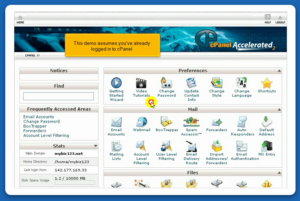
Step 2:
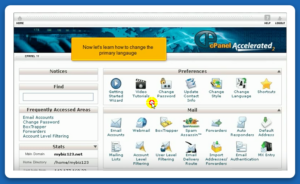
Step 3:
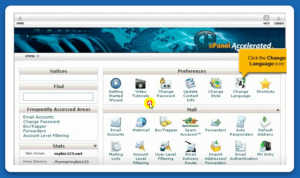
Step 4:
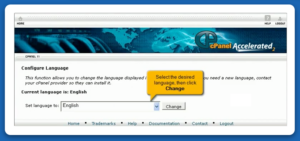
Step 5:
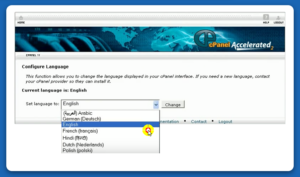
Step 6:
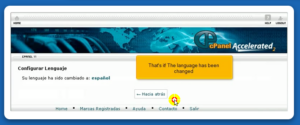
Step 7:
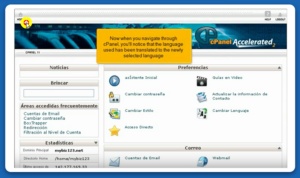
Step 8:
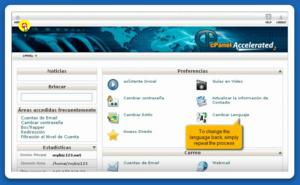
Step 9:
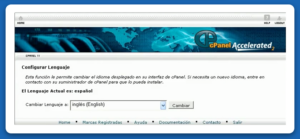
Step 10:
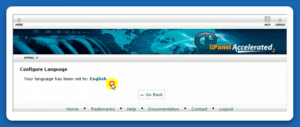
Step 11: