How to Scale Your Linux VPS Hosting for Growing Websites
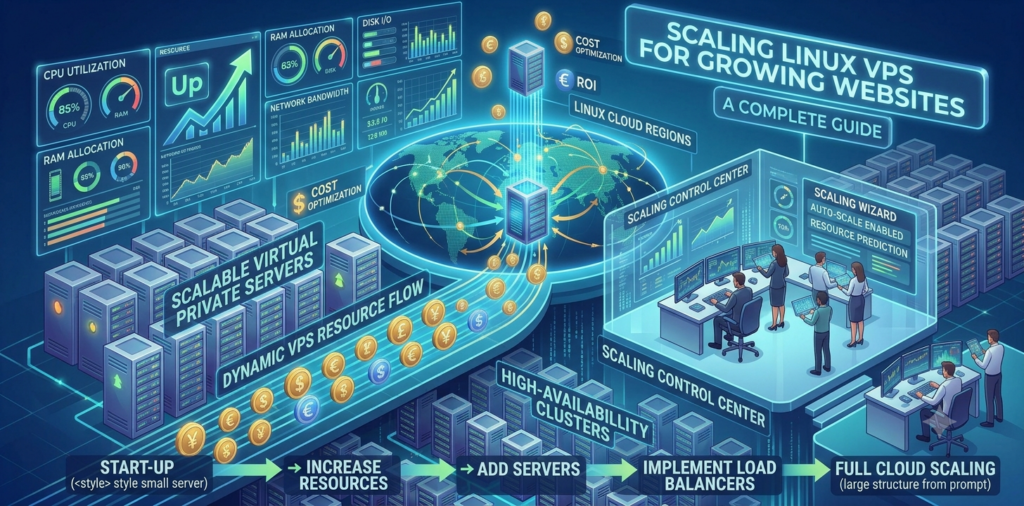
A website rarely stays the same size forever. What begins as a small business website, blog, online application, or growing digital project can eventually attract more visitors, publish more content, use more plugins, and require additional server resources. When that happens, your hosting environment needs to keep up.
Scaling a website does not always mean moving immediately to a dedicated server or completely rebuilding your infrastructure. With a Linux VPS, you can choose a server configuration that matches your current workload and move toward higher-resource options as your website, traffic, and application requirements grow.
OwnWebServers Linux VPS provides scalable configurations with dedicated CPU and RAM resources, NVMe SSD storage, full root access, unlimited bandwidth, and multiple Linux operating system options.
TL;DR
Scaling your Linux VPS means increasing server resources as your website receives more traffic and requires additional CPU, RAM, or storage. Start with a plan that matches your current workload, monitor server performance, optimize your website, and upgrade when resource limitations begin affecting performance.
With OwnWebServers Linux VPS hosting, you can scale from 1 CPU core, 2 GB RAM, and 40 GB NVMe storage to higher configurations with up to 22 CPU cores, 64 GB RAM, and 450 GB NVMe storage. Full root access and unlimited bandwidth give you additional flexibility as your website infrastructure grows.
What Does Scaling a Linux VPS Mean?
Scaling a Linux VPS means increasing your server resources when your website or application requires more processing power, memory, or storage.
For example, a new website may initially work well with a smaller VPS. However, as traffic increases, the server may need to process more requests at the same time. Additional content can also increase storage requirements, while more plugins, applications, databases, and background processes can consume additional CPU and RAM.
Instead of continuing to use a server configuration that is no longer suitable, you can move to a larger VPS plan with more resources.
The main resources to consider when scaling are:
- CPU cores
- RAM
- Storage capacity
- Storage performance
- Bandwidth
- Network requirements
The goal is not simply to choose the biggest server available. The goal is to identify which resources your website actually needs and scale accordingly.
Why Growing Websites Need More Server Resources
Website growth can affect server performance in several ways.
A higher number of visitors means more requests reaching your web server. If your website uses a database-driven platform, such as a content management system, those visitors may also create additional database queries.
At the same time, website owners may add new features. These can include eCommerce functionality, membership systems, search features, APIs, background tasks, caching services, and additional applications.
All of these processes use server resources.
For example, a website with a few hundred daily visitors may work well with a smaller configuration. The same website could require more CPU and RAM after adding an online store, more content, or a significant increase in traffic.
This is why scalability is important. Your hosting should be able to grow alongside your website instead of becoming a performance bottleneck.
Start With the Resources You Actually Need
One of the most practical approaches to VPS hosting is starting with a plan that matches your current workload.
There is little benefit in paying for a large amount of CPU and RAM if your website does not need those resources. On the other hand, choosing a configuration that is too small can lead to performance problems when traffic increases.
OwnWebServers offers Linux VPS configurations starting from 1 CPU core, 2 GB RAM, and 40 GB NVMe storage for $5 per month. Higher plans provide additional CPU, RAM, and storage for websites and applications with larger requirements.
This gives users the flexibility to begin with a suitable entry-level configuration and choose more resources as their workload grows.
Upgrade CPU When Your Website Needs More Processing Power
CPU resources are responsible for processing the tasks handled by your server.
A growing website may need additional CPU resources when it receives more simultaneous visitors, processes more application requests, or runs multiple services at the same time.
For example, CPU usage can increase when you run:
- Dynamic websites
- eCommerce platforms
- Database-driven applications
- APIs
- Background workers
- Multiple websites
- Docker containers
- Resource-intensive plugins
If your CPU usage regularly reaches its limit, upgrading to a VPS with more processing power can help provide additional capacity.
OwnWebServers Linux VPS plans scale from 1 CPU core to configurations with up to 22 CPU cores, giving users multiple options depending on their workload requirements.
Increase RAM as Your Website and Applications Grow
RAM is another important resource when scaling a Linux VPS.
Your web server, database, cache, applications, and operating system all use memory. A small website may have modest RAM requirements, but additional services can increase memory usage.
For example, running NGINX, MySQL or PostgreSQL, Redis, PHP processes, Node.js applications, and background workers on the same VPS can require significantly more memory than hosting a simple static website.
Signs that you may need additional RAM include:
- Applications becoming slow during busy periods
- Processes being terminated because of insufficient memory
- Database performance issues
- Slow response times when several services are active
- Increased swap usage
OwnWebServers Linux VPS plans provide configurations ranging from 2 GB RAM to 64 GB RAM, allowing users to select additional memory as their infrastructure becomes more demanding.
Use NVMe Storage for Growing Website Data
Website growth also increases storage requirements. Images, videos, databases, backups, application files, logs, emails, and uploaded content can gradually consume available disk space. A website may initially need only a small amount of storage, but this can change as more content is published.
OwnWebServers uses NVMe SSD storage for its Linux VPS plans. NVMe storage is particularly useful for workloads where storage performance matters, including websites, databases, applications, and development environments. Available storage starts at 40 GB on smaller plans and increases up to 450 GB NVMe storage on larger configurations.
When planning your VPS, avoid waiting until the storage is completely full. Monitor disk usage and plan additional capacity before it becomes a problem.
Optimize Your Website Before Scaling
Upgrading your VPS can provide more resources, but it is also important to optimize your website. Sometimes performance problems are caused by inefficient applications rather than a lack of server resources.
Before upgrading, consider checking:
- Unnecessary plugins and extensions
- Database performance
- Website caching
- Image optimization
- Large log files
- Slow database queries
- Background processes
- Unused applications
- Server configuration
For example, implementing proper caching can reduce the number of requests that need to be processed dynamically. Database optimization can reduce unnecessary queries, while image optimization can reduce storage usage and improve page loading performance.
A combination of optimization and VPS scaling is often more effective than simply adding more resources.
Full Root Access Gives You More Control
One advantage of using a Linux VPS is having greater control over the server environment.
OwnWebServers provides full root access, allowing users to configure their server based on their website or application requirements.
With root access, experienced users can:
- Install web servers such as NGINX
- Configure Apache
- Install PHP versions and extensions
- Set up databases
- Configure Redis or other caching tools
- Manage Docker containers
- Create users and permissions
- Configure firewall settings
- Install monitoring tools
- Customize Linux services
This level of control can be particularly useful as your website infrastructure becomes more complex.
Scale Your Linux VPS for Multiple Websites
As your online presence grows, you may eventually host more than one website or application on the same VPS. A developer or business might begin with one website and later add additional company websites, landing pages, applications, APIs, or internal tools.
Each additional service consumes resources. Before adding multiple websites to one VPS, consider the combined requirements of all applications. Monitor CPU, RAM, storage, and network usage rather than looking at each website individually.
If the combined workload begins to affect performance, upgrading to a larger configuration can provide additional capacity.
OwnWebServers Linux VPS Plans
OwnWebServers provides multiple Linux VPS configurations for different workload requirements.
| Plan | CPU | RAM | NVMe Storage | Bandwidth | Price |
|---|---|---|---|---|---|
| VPS-I | 1 Core | 2 GB | 40 GB | Unlimited | $5/mo |
| VPS-II | 2 Cores | 4 GB | 60 GB | Unlimited | $9/mo |
| VPS-III | 4 Cores | 6 GB | 80 GB | Unlimited | $15/mo |
| VPS-IV | 6 Cores | 8 GB | 120 GB | Unlimited | $19/mo |
| VPS-V | 8 Cores | 12 GB | 160 GB | Unlimited | $24/mo |
| VPS-VI | 10 Cores | 16 GB | 200 GB | Unlimited | $29/mo |
| VPS-XII | 22 Cores | 64 GB | 450 GB | Unlimited | $80/mo |
The available plans provide a clear progression for users who need additional server resources as their websites and applications grow.
How Do You Know When It Is Time to Scale?
You should consider scaling your Linux VPS when your current resources consistently struggle to handle the workload.
Common signs include:
- Slow website response times
- Consistently high CPU usage
- Insufficient available RAM
- Increasing storage usage
- Website errors during traffic spikes
- Slow database performance
- More users accessing applications
- Additional websites or services being added
Monitoring is important because it helps you understand which resource is actually causing the problem.
For example, adding more storage will not solve a CPU bottleneck. Similarly, increasing CPU may not improve a server that is struggling because of insufficient RAM.
Security and Reliability as You Grow
As your website becomes more important to your business, security and reliability should become part of your scaling strategy.
OwnWebServers Linux VPS includes features such as KVM virtualization, DDoS mitigation, firewall protection, 24/7 monitoring, and technical support.
Website owners should also maintain their own security practices. This includes keeping software updated, using strong passwords, securing SSH access, limiting unnecessary services, configuring firewalls, and maintaining reliable backups.
Scaling should not only focus on performance. A larger and more important website also needs a stronger approach to security, monitoring, and recovery.
FAQ
How do I scale a Linux VPS for a growing website?
You can scale by moving to a VPS configuration with additional CPU cores, RAM, and storage when your current server resources are no longer sufficient.
When should I upgrade my VPS?
Consider upgrading when you consistently experience high CPU or memory usage, limited storage, slower website performance, or increased resource requirements.
Is 2 GB RAM enough for a website?
It can be enough for some smaller websites and lightweight workloads. However, larger websites, databases, eCommerce stores, and multiple applications may require additional RAM.
Why is NVMe storage useful for VPS hosting?
NVMe storage provides fast storage performance and can be useful for websites, databases, applications, and workloads that frequently read and write data.
Can I host multiple websites on a Linux VPS?
Yes. You can host multiple websites on a Linux VPS, provided the server has enough CPU, RAM, storage, and network capacity to handle the combined workload.
Conclusion
Scaling your website should not mean starting your hosting infrastructure from scratch every time your requirements change. A Linux VPS gives you the flexibility to begin with a configuration that matches your current needs and move toward higher-resource options as your website grows.
With OwnWebServers Linux VPS, users can choose from scalable configurations with dedicated CPU and RAM resources, NVMe storage, full root access, unlimited bandwidth, and multiple Linux operating system options.
The best approach is to monitor your website regularly, optimize your applications, identify resource bottlenecks, and increase capacity when it is genuinely needed. By scaling gradually, you can keep your growing website responsive while maintaining better control over your hosting costs and infrastructure.
Find more blog: How Windows 10 VPS Hosting Scales With Your Growth