How Windows 10 VPS Hosting Scales With Your Growth
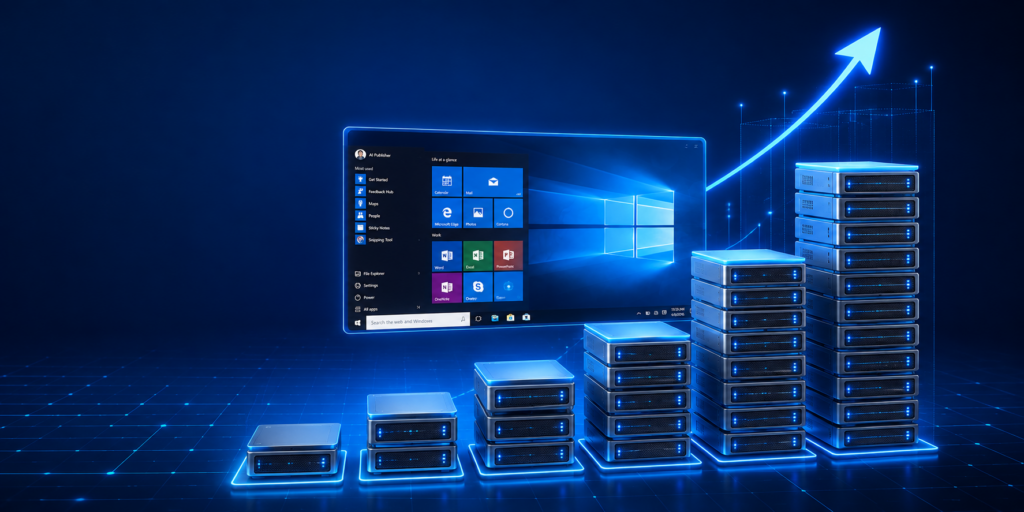
As a business, application, or remote-work environment grows, its hosting requirements usually grow with it. A server that works well for a small project may eventually need more CPU, RAM, storage, or bandwidth as you add applications, users, files, and daily workloads.
This is where Windows 10 VPS hosting can provide flexibility. Instead of investing in physical hardware every time your requirements increase, a Windows VPS gives you a virtual Windows environment with dedicated resources that can be upgraded as your workload grows.
OwnWebServers provides Windows 10 VPS hosting with dedicated resources, remote desktop access, SSD storage, flexible scaling, security features, and plans ranging from 2 CPU cores and 2 GB RAM to 14 CPU cores and 48 GB RAM.
Why Does Your Windows VPS Need to Scale?
Your hosting requirements rarely remain the same for years. A developer may initially need a Windows environment for testing an application, while a growing business may later use the same type of environment for business software, remote work, development, or multiple applications.
For example, you might begin with a single application and a few users. As the business grows, you could add more applications, larger files, additional users, databases, development tools, or remote workers. These changes can increase CPU and memory usage.
A scalable VPS allows you to increase resources when your workload demands them instead of replacing the entire hosting environment.
What Is Windows 10 VPS Hosting?
Windows 10 VPS hosting provides a virtual private server running a Windows 10 environment. You can remotely connect to the server and use it much like a Windows computer, while the underlying infrastructure is hosted in a data center.
This can be useful for people who need Windows-specific applications or a familiar Windows desktop environment without keeping a physical PC running continuously.
OwnWebServers provides remote desktop access, dedicated resources, SSD storage, flexible resource scaling, and administrator-level control for its Windows 10 VPS offering.
Start Small and Upgrade as Your Workload Grows
One of the main advantages of a scalable Windows VPS is that you do not necessarily need to purchase a high-resource server from the beginning.
OwnWebServers’ entry-level Basic plan provides 2 CPU cores, 2 GB RAM, 50 GB SSD storage, and 6 TB bandwidth for $19 per month. This can provide a starting point for lighter workloads.
As your requirements increase, the available plans provide progressively more CPU, RAM, storage, and bandwidth. The Enterprise plan reaches 14 CPU cores, 48 GB RAM, 500 GB SSD storage, and unlimited bandwidth for $129 per month.
This gives users a clear path from a smaller Windows environment to a substantially larger one without having to redesign their entire hosting setup.
Full Remote Desktop Access From Anywhere
Growth is not always about server resources. It can also mean having more flexibility in how your team accesses its applications and work environment. With remote desktop access, users can connect to their Windows VPS from a remote location and manage applications, files, and configurations through the Windows environment. This can be useful for remote workers, developers, businesses, and users who need access to Windows applications without keeping a dedicated computer online.
OwnWebServers provides remote desktop connectivity for its Windows 10 VPS hosting, allowing users to manage their server remotely.
Dedicated Resources for Growing Workloads
When your workload increases, CPU and RAM can become important performance considerations. Running one lightweight application is very different from running several applications, development tools, databases, or other processes at the same time. More demanding workloads can require additional CPU cores and memory to maintain a responsive environment.
OwnWebServers provides multiple Windows 10 VPS configurations, allowing users to select resources based on their current workload and move to larger configurations as their needs evolve.
The important thing is to monitor your actual resource usage rather than automatically choosing the largest available plan.
SSD Storage for Applications and Files
Storage requirements can also increase over time. Applications, project files, databases, documents, backups, and temporary files can gradually consume available disk space. OwnWebServers Windows 10 VPS plans start with 50 GB SSD storage and scale up to 500 GB SSD storage on the Enterprise configuration.
Faster SSD storage also helps support responsive application and file access. This makes storage capacity and storage performance two factors worth considering when choosing a Windows VPS for a growing workload.
Windows VPS for Development and Testing
Windows VPS hosting can be particularly useful for developers who need Windows-specific development environments.
For example, developers working with technologies or applications that require Windows can use a remote Windows environment for development, testing, and application management. Instead of configuring every local computer in exactly the same way, a centralized VPS can provide a consistent environment that can be accessed remotely.
As projects become larger, additional CPU, RAM, and storage can help accommodate more demanding development workloads.
Windows VPS for Remote Work
Businesses are increasingly supporting employees who work from different locations. A Windows VPS can provide a centralized environment where users can access business applications and files remotely.
Rather than depending on a particular physical computer, employees can connect to their remote Windows environment when they need it. This can make it easier to maintain a consistent working environment while reducing dependence on individual local hardware.
For organizations with growing workloads, selecting a higher-resource VPS can provide additional capacity for applications and users.
Windows 10 VPS Plans
| Plan | CPU | RAM | SSD Storage | Bandwidth | Price |
|---|---|---|---|---|---|
| Basic | 2 cores | 2 GB | 50 GB | 6 TB | $19/mo |
| Starter | 3 cores | 4 GB | 80 GB | 7 TB | $26/mo |
| Premium | 4 cores | 6 GB | 120 GB | 8 TB | $40/mo |
| Advanced | 6 cores | 12 GB | 200 GB | 15 TB | $51/mo |
| Developer | 8 cores | 16 GB | 250 GB | 20 TB | $65/mo |
| Business | 10 cores | 24 GB | 300 GB | 25 TB | $89/mo |
| Expert | 12 cores | 32 GB | 400 GB | Unlimited | $109/mo |
| Enterprise | 14 cores | 48 GB | 500 GB | Unlimited | $129/mo |
These plans provide a progression from smaller personal or development workloads to larger business environments.
Security and Availability as You Grow
Scaling is not only about adding CPU and RAM. As a business becomes more dependent on its VPS, security and availability become increasingly important. OwnWebServers lists built-in infrastructure security, continuous monitoring, DDoS protection, and 24/7 expert support for its Windows 10 VPS service. The page also lists a 99.99% uptime guarantee.
These features can help businesses maintain a more reliable hosting environment as their dependence on remote applications and services increases.
How to Know When You Should Upgrade
You should consider upgrading when your current VPS consistently approaches its resource limits or when your workload has clearly increased.
Signs can include:
- Higher CPU usage
- Memory becoming consistently constrained
- Increasing storage requirements
- More applications running simultaneously
- More remote users
- Slower application response under heavier workloads
- Increased file or database activity
Rather than upgrading simply because your business is growing, look at actual resource usage and identify which resource is becoming a bottleneck.
Common Windows VPS Scaling Mistakes
One common mistake is choosing a server based only on its storage capacity. Having plenty of disk space does not compensate for insufficient RAM or CPU when an application is resource-intensive.
Another mistake is waiting until the server is already struggling before planning an upgrade. Monitoring resource usage can help you identify capacity problems earlier.
It is also important to maintain security practices as your VPS becomes more important to your business. Keep applications updated, use strong authentication, restrict unnecessary access, and maintain appropriate backups.
FAQ
Can I scale my Windows 10 VPS as my business grows?
Yes. OwnWebServers provides multiple Windows 10 VPS configurations with increasing CPU, RAM, storage, and bandwidth, allowing users to choose a larger configuration as their requirements increase.
What is the cheapest Windows 10 VPS plan?
The Basic plan starts at $19 per month with 2 CPU cores, 2 GB RAM, 50 GB SSD storage, and 6 TB bandwidth.
Does Windows 10 VPS include Remote Desktop access?
Yes. OwnWebServers provides remote desktop access so users can connect to and manage their Windows 10 VPS remotely.
Can I use Windows 10 VPS for development?
Yes. A Windows VPS can be useful for development and testing workloads that require a Windows environment, particularly when applications or development tools need to run remotely.
What is the largest Windows 10 VPS plan?
The Enterprise configuration provides 14 CPU cores, 48 GB RAM, 500 GB SSD storage, and unlimited bandwidth at $129 per month.
Conclusion
Growth should not force you to completely change your hosting environment. A scalable Windows 10 VPS allows you to begin with the resources you currently need and move to a larger configuration when your applications, users, files, or business operations demand more capacity.
OwnWebServers provides eight Windows 10 VPS and Windows 11 VPS configurations, starting at $19 per month and scaling up to 14 CPU cores, 48 GB RAM, and 500 GB SSD storage. Combined with remote desktop access, dedicated resources, flexible scaling, security features, and 24/7 support, the platform provides a practical Windows environment for development, remote work, applications, and growing business workloads.
The best approach is simple: start with the resources your workload actually needs, monitor performance as usage increases, and upgrade when your current configuration becomes a limitation. That way, your Windows VPS grows alongside your requirements instead of becoming a bottleneck.
Find more blog: Best Forex VPS: Top Hosting Strategies for Traders in 2026