Best VPS Hosting for Developers and DevOps Teams
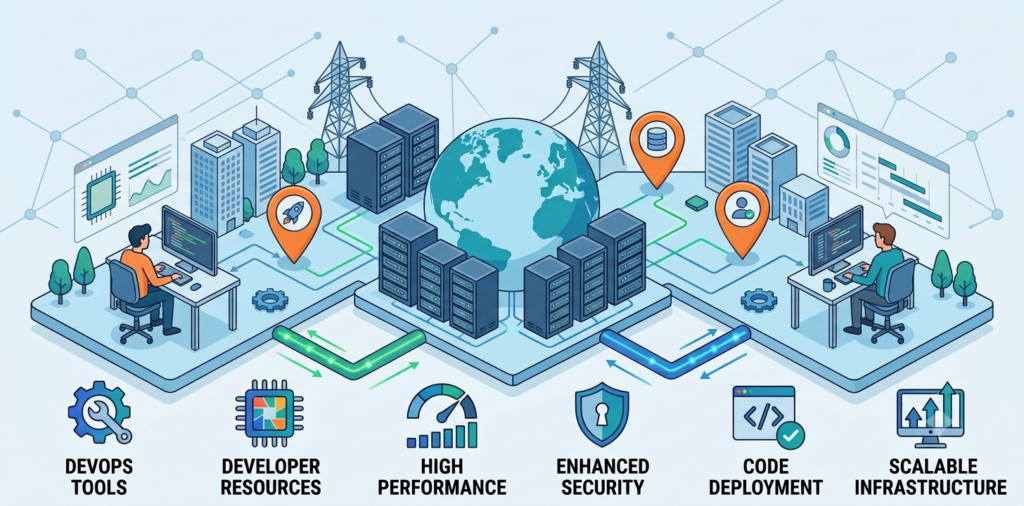
Developers and DevOps teams need more than a server that simply stays online. They need an environment where they can install the software they need, configure the operating system, deploy applications, run databases, test new releases, and manage workloads without unnecessary restrictions. That is why choosing the best VPS hosting for developers starts with understanding how the server will actually be used.
For developers looking for a flexible Linux environment, OwnWebServers Linux VPS provides full root access, NVMe SSD storage, guaranteed CPU and memory resources, unlimited bandwidth, and multiple server configurations starting at $5 per month. These options make it possible to start with a small development server and move to a larger configuration as an application grows.
What Makes a VPS Good for Developers?
A good developer VPS should give you control over the server instead of limiting you to a predefined hosting environment. Developers often need to install programming runtimes, configure web servers, create databases, run background processes, manage containers, and change server settings as a project evolves.
For example, a developer may begin with a simple Node.js or PHP application. Later, the same server might need NGINX, Redis, PostgreSQL, Docker, scheduled jobs, background workers, and monitoring tools. A VPS with root access gives the developer the freedom to build that environment.
The most important things to consider are:
- Full root access
- Reliable CPU and RAM resources
- Fast SSD or NVMe storage
- Choice of Linux distributions
- Sufficient bandwidth
- Easy resource upgrades
- Server security
- Reliable uptime
- Technical support
These features matter because development workloads are rarely static. The server that is enough for a small application today may need significantly more resources as users, data, and services increase.
Why Linux VPS Is a Practical Choice for Developers
Linux is widely used for web development, backend applications, databases, APIs, automation, and DevOps workflows. A Linux VPS gives developers a dedicated environment where they can configure the server around their application instead of adapting their application to the limitations of shared hosting.
With a Linux VPS, developers can build environments for technologies such as Python, Node.js, PHP, Java, Go, Ruby, MySQL, PostgreSQL, Redis, NGINX, and Docker.
OwnWebServers supports several Linux distributions, including Ubuntu, Debian, Fedora, CentOS, and SUSE. Full root access also allows experienced developers and system administrators to configure the operating system and software stack according to their requirements.
Why Choose OwnWebServers Linux VPS?
OwnWebServers Linux VPS is designed for workloads that need more control and resources than traditional shared hosting can provide. Instead of sharing a basic hosting environment with other websites, developers get a VPS with defined CPU, memory, and storage resources.
The plans start at $5 per month, with configurations extending up to 22 cores, 64 GB RAM, and 450 GB NVMe storage. This range gives developers room to choose a server based on the actual requirements of their application rather than paying for a large server from the beginning.
OwnWebServers also lists a 99.99% uptime guarantee, unlimited bandwidth, full root access, KVM virtualization, DDoS mitigation, firewall protection, 24/7 monitoring, and 24/7 human technical support.
Dedicated Resources for Predictable Performance
One of the biggest advantages of using a VPS for development and production workloads is having defined server resources.
OwnWebServers states that its Linux VPS plans provide guaranteed CPU, memory, and storage resources. This is particularly useful when an application has predictable resource requirements or when developers need a consistent environment for testing and deployment.
For example, a small API may work comfortably with a lower-resource VPS, while a server running several containers, a database, background workers, and application services will naturally require more CPU and RAM.
Having multiple configurations allows developers to choose according to workload instead of using the same server size for every project.
NVMe Storage for Applications and Databases
Storage performance can have a noticeable impact on development workloads. Applications frequently read and write files, databases perform disk operations, packages are installed, logs are generated, and build processes create temporary files.
OwnWebServers uses NVMe SSD storage across its Linux VPS plans, starting from 40 GB and going up to 450 GB depending on the selected configuration. The company positions NVMe storage as a performance-focused option for applications, databases, and heavier workloads.
For developers running databases, staging environments, application servers, or containerized workloads, fast storage can be an important part of the overall server setup.
Full Root Access for Development and DevOps
Root access is one of the most important features for a developer VPS because it removes many of the restrictions found in shared hosting.
With full root access, developers can install required packages, configure NGINX, create system users, manage services, configure firewall rules, install Docker, adjust server settings, and troubleshoot applications directly from the operating system.
This level of control is especially useful for DevOps teams because infrastructure configuration is often closely connected to the application deployment process.
Linux VPS for Docker and Application Deployment
Modern development teams increasingly use containers to package applications and their dependencies. A Linux VPS can provide a practical environment for running Docker-based applications without requiring a large and complicated infrastructure setup.
For a smaller application, one VPS may host the reverse proxy, application containers, workers, cache, and other supporting services. As the workload becomes more complex, developers can separate services across multiple servers.
This makes a Linux VPS useful not only for development but also for staging and production deployment workflows.
VPS for Development, Testing, and Staging
A dedicated development or staging VPS gives teams a place to test application changes before releasing them to production.
For example, developers can deploy a new application version, test database migrations, check configuration changes, verify API behaviour, and run integration tests without affecting the main production environment.
OwnWebServers offers configurations ranging from 1 core with 2 GB RAM to 22 cores with 64 GB RAM, so teams can select a smaller configuration for lightweight development and move to higher-resource plans when their staging or production workload grows.
OwnWebServers Linux VPS Plans
| Plan | CPU | RAM | NVMe Storage | Bandwidth | Price |
|---|---|---|---|---|---|
| VPS-I | 1 core | 2 GB | 40 GB | Unlimited | $5/mo |
| VPS-II | 2 cores | 4 GB | 60 GB | Unlimited | $9/mo |
| VPS-III | 4 cores | 6 GB | 80 GB | Unlimited | $15/mo |
| VPS-IV | 6 cores | 8 GB | 120 GB | Unlimited | $19/mo |
| VPS-V | 8 cores | 12 GB | 160 GB | Unlimited | $24/mo |
| VPS-VI | 10 cores | 16 GB | 200 GB | Unlimited | $29/mo |
| VPS-VII | 12 cores | 20 GB | 240 GB | Unlimited | $34/mo |
| VPS-VIII | 14 cores | 24 GB | 280 GB | Unlimited | $39/mo |
| VPS-IX | 16 cores | 28 GB | 320 GB | Unlimited | $45/mo |
| VPS-X | 18 cores | 32 GB | 360 GB | Unlimited | $50/mo |
| VPS-XI | 20 cores | 48 GB | 400 GB | Unlimited | $65/mo |
| VPS-XII | 22 cores | 64 GB | 450 GB | Unlimited | $80/mo |
How to Choose the Right Developer VPS
The right plan depends on what you intend to run.
For learning Linux, testing commands, hosting a lightweight website, or running a small development project, a 1-core or 2-core VPS with 2–4 GB RAM can be a sensible starting point.
For APIs, backend applications, Docker workloads, staging environments, and applications with several services, moving to 4–8 cores and 6–12 GB RAM provides considerably more room.
Larger applications, multiple containers, databases, build processes, or resource-intensive workloads may benefit from the higher configurations with 16–22 cores and up to 64 GB RAM.
The important point is to choose based on your application’s actual CPU, memory, storage, and workload requirements rather than simply selecting the largest server.
Common VPS Mistakes Developers Should Avoid
One common mistake is choosing a VPS only because it has a low monthly price. A cheap server is not useful if it does not have enough memory or CPU for the application.
Another mistake is ignoring storage requirements. Databases, Docker images, logs, backups, and application files can consume storage faster than expected.
Developers should also plan for security from the beginning. SSH access, strong authentication, firewall configuration, software updates, monitoring, backups, and a recovery plan should be part of the server setup.
FAQ
Is OwnWebServers Linux VPS suitable for developers?
Yes. It provides full root access, NVMe storage, defined CPU and memory resources, multiple Linux distributions, unlimited bandwidth, and a wide range of configurations for different workloads.
Can I use OwnWebServers Linux VPS for Docker?
Yes. Because the VPS provides full root access, developers can install and configure Docker and other Linux-based development tools according to their project requirements.
What is the starting price?
OwnWebServers Linux VPS plans start at $5 per month for 1 core, 2 GB RAM, 40 GB NVMe storage, and unlimited bandwidth.
Can I upgrade as my application grows?
Yes. OwnWebServers provides multiple VPS configurations, from the entry-level VPS-I through higher-resource configurations with up to 22 cores and 64 GB RAM.
Conclusion
The best VPS hosting for developers and DevOps teams should provide the freedom to configure the server, enough resources to run real applications, fast storage, and a clear path for growth.
OwnWebServers Linux VPS brings these requirements together with full root access, NVMe storage, guaranteed CPU and memory resources, unlimited bandwidth, multiple Linux distributions, security features, and plans starting at $5 per month.
Whether you are building an API, testing a new application, running Docker containers, managing a staging environment, or hosting a growing production workload, a Linux VPS gives you the control and flexibility needed to build your infrastructure around your application.
Find more blog: What is Forex VPS Hosting? The Complete Guide for Traders